Test builds
Tip of dev (71145fc, 2026-11-11 17:17 UTC). The test build installs next to the released app as a separate "Kestrel DEV" app with its own settings in the Zepp app. GitHub Pages can cache files for up to 10 minutes after a push.
Kestrel DEV
based on 0.1.0 · build 119 · 71145fc
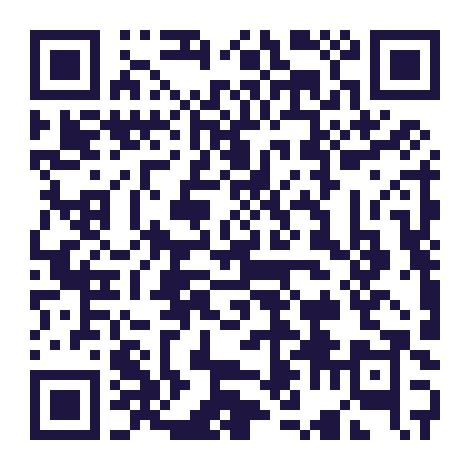
Balance 3 and 3 Ti. In the Zepp app: Profile → your watch → Developer Mode → + → Scan. Installs Kestrel DEV with its Settings page (Developer Mode → Kestrel DEV → Settings). Expires 2026-11-18 17:16 UTC; each push to dev makes a new code.
The iPhone Zepp app keeps running the phone part of the first build it installed, through later installs (even after deleting the app): check Home Assistant's "Phone app version", and reinstall the Zepp app if the phone part matters for a test.
All-watch bundle (the .zab format the Zepp store takes; this one carries the DEV app ID): kestrel-dev.zab
Changes since the last release
The first release of Kestrel: point your Amazfit watch at a smart-home device and trigger it, through Home Assistant. It has two parts, installed together: the watch app and the Kestrel Home Assistant integration. It works on your home network, or a VPN into it.
Added
Watch app
- Pairing: the phone finds Home Assistant on your home Wi-Fi (
homeassistant.local, or an address typed on the watch), Home Assistant shows a 6-digit code, and you type it on the watch. No tokens to copy. The same watch paired again gets its setup back, and a new watch can take over an earlier one's paints, rooms and settings. - Paint: pick a device (starting with the room you're in), then sweep your arm across it for 15 seconds. Paint it again from other places you use it from. Paint warns when two devices sit too close to tell apart, and asks you to calibrate the compass when it needs it. Scenes, scripts and buttons can be painted on any spot you like.
- Point: hold your arm out at a painted device. The screen turns amber while aiming, dark green when the watch has a device in mind and bright green when it's locked on; press the button or tap the screen to toggle it. Locks ask for a confirming tap. "Not it?" offers the next most likely device for 5 seconds after a trigger.
- Gestures and instant toggle: trigger with a wrist flick, finger snap or finger tap (each calibrated to you), or just by holding the aim on a device for a few seconds.
- Dimming and volume: on a dimmable light or a media player, roll your wrist once it's locked; Home Assistant keeps media volume within limits you set.
- Rooms: calibrate each Home Assistant area by Bluetooth (or use a room sensor such as Bermuda), and Point only picks devices in the room you're in.
- Learning from use: clear triggers you didn't correct slowly refine where each device is.
- Home Assistant holds your setup: paints, rooms and settings are kept there and synced, so a reset or a new watch gets them back. Settings can be changed on the watch, in Home Assistant, or on the Zepp app's settings page.
- Screen and battery: Kestrel's screens stay on 30 s without a touch (adjustable), Point keeps the screen on only while your arm is held out (turning the watch face away to point no longer switches the screen off), and Point can reopen when you raise your wrist. Open on Point makes Kestrel's shortcut go straight to pointing.
- Diagnostics for tuning: with Detailed diagnostics on in Home Assistant (it turns itself off after a week), the watch sends aim traces and room scans to your own Home Assistant to help improve pointing. Nothing extra is measured or sent with it off.
- Probes: measurements of the watch's sensors, gestures, compass, Bluetooth and latency, for checking a new watch model.
- Supported watches: Zepp OS 4 watches with a compass, round and square (the README lists the models). Watches still on Zepp OS 3.x firmware crash running the app and aren't supported.
Home Assistant integration
- Pairing: a watch asks to pair, Home Assistant shows a 6-digit code as a notification, and the code entered on the watch gives that watch its own key, limited to Kestrel. A watch paired again is recognised (by a hash of its unique id) and gets its setup back; a new watch can take over an earlier one's setup, or that of a watch removed in the last 30 days.
- Devices for watches: Configure chooses which devices or entities watches can use (nothing chosen: everything). Lights, switches, fans, media players, locks, covers, climate, scenes, scripts, buttons, input booleans and input buttons, grouped by area.
- Actions from the watch: toggle, dim, media volume, play/pause, run a scene or script, press a button. Locks need a confirming tap; a watch can only ask for actions that fit the device; repeated commands from Bluetooth retries are ignored. Media volume has limits per watch (per twist, and a maximum).
- A
kestrel_firedevent for every action, with the watch, target, how it was triggered and from which room, for automations. - One device per watch with sensors (last triggered, room, last seen, address, painted devices, calibrated rooms, phone app version), switches (gesture trigger, instant toggle, open on Point, learn from use, detailed diagnostics), selects (gesture, room source), numbers (screen time, instant toggle delay, volume limits, gesture thresholds) and a paint map image. Deleting the device unpairs the watch.
- Each watch's paints, rooms and settings are kept here and synced to the watch, sending only what changed. Configure edits them: remove a bad paint, point a paint at another entity, delete a room calibration, and every setting.
- Rooms from the watch's Bluetooth calibration, or from a sensor whose state is an area (for example Bermuda).
- Repairs: a watch not heard from in 30 days gets a notice offering to remove it, so an old or duplicate watch doesn't keep a working key.
- Diagnostics for the integration or one watch, safe to attach to a public issue: tokens, hardware ids and network addresses removed, Bluetooth addresses replaced by codes. Detailed diagnostics (a switch per watch, off again after a week) adds aim traces and room scans for tuning; results are kept for 14 days.
- Security: Kestrel works only from your home network (never through Home Assistant Cloud or a public address), each watch has its own key, a watch can only trigger the devices it's offered, and every value from a watch is checked. See
docs/audits.md.